Fubo: Watch Live TV & Sports
- 3.0
- Rating
- 10.00M
- Installs
- Free
- Price

 Analysis by App-foxy
I approached Fubo: Watch Live TV & Sports as someone looking for a practical way to follow live games without jumping between several television apps. It is a free entertainment app from fuboTV, aimed especially at viewers who care about sports but also want shows, movies, news, and local coverage in the same place. That combination sounds simple, yet the real question is whether it fits the way you watch television.
My first impression is that Fubo makes the most sense when live viewing matters more to you than building a large on-demand library. If you want to open an app during an NFL, NBA, MLB, or NHL game and quickly find something worth watching, its focus is clear. It is less convincing for somebody who mainly watches occasional films or prefers choosing every program from a catalog on their own schedule.
What to expect before you start watching
The app brings together sports, local television coverage, news, shows, and movies. In practice, that means the home screen is not only a list of games. You are likely to move between live sports, general programming, and other television choices, so it feels closer to a streaming television service than to a single-league companion app.
You May Also Like

 Blood Strike: 2.5 Anniversary
Blood Strike’s Loadouts Turn Every Drop Into a Tactical Gamble
A close look at Blood Strike’s custom loadouts: how fast access to signature weapons reshapes its battle royale rhythm, rewards preparation, and narrows the gap between fights.

 Pandora - Music & Podcasts
Pandora’s Music Is Easy to Start, but Harder to Recover
Pandora’s strength is its low-effort path from a seed to a station. Its weak spot is how much confidence it asks you to place in connection, setup, and quiet recovery.

 8 Ball Pool
 Is Built on Rivalries, Rematches, and Routine
A close look at the rivalries, rematches, shared routines, and unanswered safety questions that turn a quick pool match into a persistent mobile community.

 Samsung Music
’s Quiet Strength Is Playing What You Already Own
Its reach comes less from spectacle than from dependable access to a personal library. That simplicity is both the app’s strongest retention engine and its ceiling.

 AccuWeather: Weather Radar
AccuWeather Review: A Quick, Clear Forecast for Everyday Decisions
For everyday plans, the best forecast is the one you can understand quickly. AccuWeather makes rain timing, radar, and local conditions easy to act on, with a few trade-offs.

 Hill Climb Racing
Why Hill Climb Racing Still Turns Crashes Into One More Run
A tiny car, a bumpy hill and one more upgrade: Hill Climb Racing keeps resurfacing because its simple chaos makes every near-miss feel personal.
More From Our News Desk



I would set expectations carefully around the word “free.” You can download the app without paying, but the experience includes in-app purchases priced at $6.99 per item. That does not make the download pointless, but it does mean you should treat the free installation as the beginning of the viewing process rather than proof that every channel or event is available at no cost.
The app is rated for Teen viewers, which is useful context for families deciding whether it belongs on a shared device. It is also a mature product: it was released on September 8, 2014, and the current version is 5.46.0. That history gives it the feel of an established television platform rather than a newly launched experiment.
Its public reception is mixed. Fubo has an average rating of 3.2 from around 50 thousand ratings and around 20 thousand written reviews, while its install count is above 10 million. I read that combination as a warning to test the experience against your own priorities. A large audience shows that the service is widely used, but the middling rating suggests that convenience, channel expectations, account setup, or playback may not feel equally smooth to everyone.
Before installing, I would answer one practical question: what do I want to watch first? If the answer is a particular live sports event, the app is worth investigating. If the answer is simply “something entertaining,” a conventional on-demand service may feel more direct because it usually starts with a catalog rather than a live schedule.
Who gets the most from it
Fubo is a strong candidate for a household that follows several sports seasons and wants one television-oriented app for more than one type of viewing. It can also suit someone who watches live news or local programming and does not want sports separated into a completely different service.
I think it is especially useful for viewers who plan around start times. A live game is not interchangeable with a replay discovered later, and Fubo’s identity is built around that sense of occasion. You open it because something is happening now, not only because you want to browse endlessly.
On the other hand, I would skip it if you rarely watch live television, dislike checking availability before an event, or mainly want a cheap library of films and series. In those cases, a standard on-demand alternative can be easier to understand and may require less attention to schedules and access.
Installing it and getting oriented
The technical entry point is broad: the app supports Android 7.0 and later. After installation, I recommend giving yourself a few minutes to look around instead of immediately judging it from the first screen. A television app can appear crowded when live programming, sports, news, and entertainment are presented together.
My suggested first pass is simple. Look for the live area, then inspect the sports choices, and finally check where general shows, movies, and news are placed. This gives you a mental map before you need the app in a hurry. It also helps reveal whether the service matches your viewing habits without requiring a long browsing session.
When you open an event or channel, pay attention to the wording around access before settling in. The presence of a visible program does not automatically mean that every viewer can watch it immediately. This is one of the most important habits for new users: confirm the viewing path early, especially if you are preparing for a game that is about to begin.
Making the first successful watch less stressful
For a first meaningful test, I would not choose a major event that begins in a few minutes. Instead, open the app during a live program you would genuinely enjoy but would not be upset to miss. That gives you time to understand the interface, see how the program opens, and notice whether your chosen content follows the access route you expected.
A realistic example is a Sunday afternoon when you want to follow football while other people in the home are watching something else. I would install Fubo earlier in the day, explore the sports section, locate the relevant live listing, and open it before kickoff. If that works comfortably, I would then check the news or general entertainment areas to see whether the app can serve the whole household rather than only the sports fan.
That first test also answers a question many new users have: is Fubo only for sports? No. Sports are the clearest reason to choose it, but the app also includes local sports coverage, shows, movies, and news. My advice is to judge those extras by how often you would actually use them. They are valuable when they replace another television destination, but less important if your only goal is one league.
Another useful workflow is to use the app as a live schedule first and a discovery tool second. Start by finding what is on now or what is coming up, then browse beyond that only if you have time. This avoids getting lost among choices when your real objective is to watch a particular event.
Where first-time users can get confused
The biggest possible confusion is the difference between downloading the app and having unrestricted access to everything shown inside it. The free price makes installation easy, but in-app purchases mean that some viewing paths involve payment. I would not wait until the opening moments of a game to discover that the content requires a different purchase or viewing arrangement.
A second point is the distinction between sports breadth and guaranteed access to every event a fan might want. Seeing NFL, NBA, MLB, NHL, or local sports coverage in the service’s description does not mean that every match, every local broadcast, or every channel will be identical for every viewer. I would use the app’s own listings as the final check for the event you care about.
That check is particularly important for local coverage. Local sports can be one of Fubo’s most attractive ideas, but location-sensitive television is also where assumptions can cause disappointment. If a local team is the main reason you are installing the app, verify the exact listing before treating the service as your replacement for traditional television.
Some users may also expect a sports app to open directly on their favorite league. Fubo is broader than that. Its entertainment and news sections are part of the product, so the first screen may feel less specialized than a league-specific app. I see this as a trade-off: more variety in one place, but potentially more browsing before you reach the exact sport you want.
The Teen content rating is another detail worth considering in a shared household. I would not assume that a television app designed for family-room use automatically suits every child without supervision. Parents should decide whether the available live programming fits their household rules, particularly when the app combines sports, news, movies, and general entertainment.
Three practical habits that improve the experience
- Test the event path before game time. Open a lower-pressure live program first, then confirm how the sports listing leads to playback. This separates account or access confusion from the excitement of a major event.
- Use the broader sections as a household test. After checking sports, deliberately visit news, movies, and shows. If other people in your home can find something they watch, the app becomes more useful than a single-purpose sports subscription.
- Compare the purchase route with your actual viewing frequency. The $6.99 per-item in-app purchase figure matters more to an occasional viewer than to somebody who watches live sports regularly. Work out whether you need a continuing television solution or only rare access.
These habits are more valuable than simply installing the app and scrolling. They reveal whether Fubo fits your routine, whether the interface feels manageable under time pressure, and whether the wider entertainment offering has genuine value for you.
How it compares with familiar alternatives
Compared with a league-specific sports app, Fubo is broader. You are not limited to one competition or one kind of content, and the inclusion of local sports coverage, news, movies, and shows can make it more suitable for a television household. The trade-off is that a specialist app may feel faster when you already know exactly which league you want.
Compared with a traditional cable or satellite package, the appeal is the app-based viewing experience and the ability to approach television through a streaming interface. However, I would not assume that it removes every decision associated with paid television. Access, purchases, and the exact availability of live programming still deserve attention.
Compared with a general on-demand streaming service, Fubo is more compelling for scheduled live viewing. A normal catalog service is usually better when you want to pause your search, choose a film, or watch a series whenever you like. Fubo wins when the clock matters and loses some of its advantage when live programming is not part of your routine.
There is also a difference in mindset. On-demand services reward browsing by mood. Fubo rewards knowing what is happening on television and deciding whether you want to join it live. Neither approach is universally better, but choosing the wrong one can make the app feel frustrating even when it is working as intended.
What to do after the first successful session
Once you have watched one program without confusion, I would build a small personal routine rather than trying to master every section. Check the live sports area when a season is active, use the news section when you want current television coverage, and return to shows or movies only when they serve a real need in your household.
I would also keep the current version in mind when troubleshooting. The app is currently at version 5.46.0, so if the interface differs from older screenshots or advice, older instructions may not match what you see. Staying on the current release is the sensible starting point before deciding that a problem is part of the service itself.
Because the app has a 3.2 average rating, I would give myself a clear evaluation period rather than making a decision from one good or bad moment. Try the exact sports and television content you care about, on the device where you expect to watch, and see whether the access process feels dependable enough for your routine. A service can be excellent for one viewer and poor value for another simply because their viewing goals differ.
The developer, fuboTV, has positioned this as an entertainment app with live sports at its center, not merely a score tracker or highlight feed. That distinction matters. If you want the feeling of turning on television for a live event and having other programming available afterward, it is a sensible app to test. If you only need scores, short clips, or one team’s schedule, it may offer more than you need.
My recommendation after using it as a first-time viewer
Fubo: Watch Live TV & Sports is worth trying when live sports are the reason you are changing how you watch television. Its combination of major sports categories, local coverage, news, shows, and movies gives it more range than a narrowly focused sports app, while the free installation makes the first test straightforward.
I would recommend approaching it with a plan: choose one realistic event, explore the listing before it starts, confirm the access route, and then test whether the non-sports sections matter to anyone else who will use the app. That process gives you a useful answer quickly and avoids confusing the app’s broad catalog with automatic access to every program.
My honest view is that Fubo is not the universal replacement for every streaming service. It is best for people who value live television and want sports to remain central. It is less attractive for occasional viewers who want an uncomplicated on-demand library or for fans who only need a single team’s information. But if you want one entertainment app to organize a live game night and still have news, movies, and shows nearby, it deserves a careful first test rather than a quick dismissal.
FAQs for Fubo: Watch Live TV & Sports
01What channels are available on Fubo: Watch Live TV & Sports?
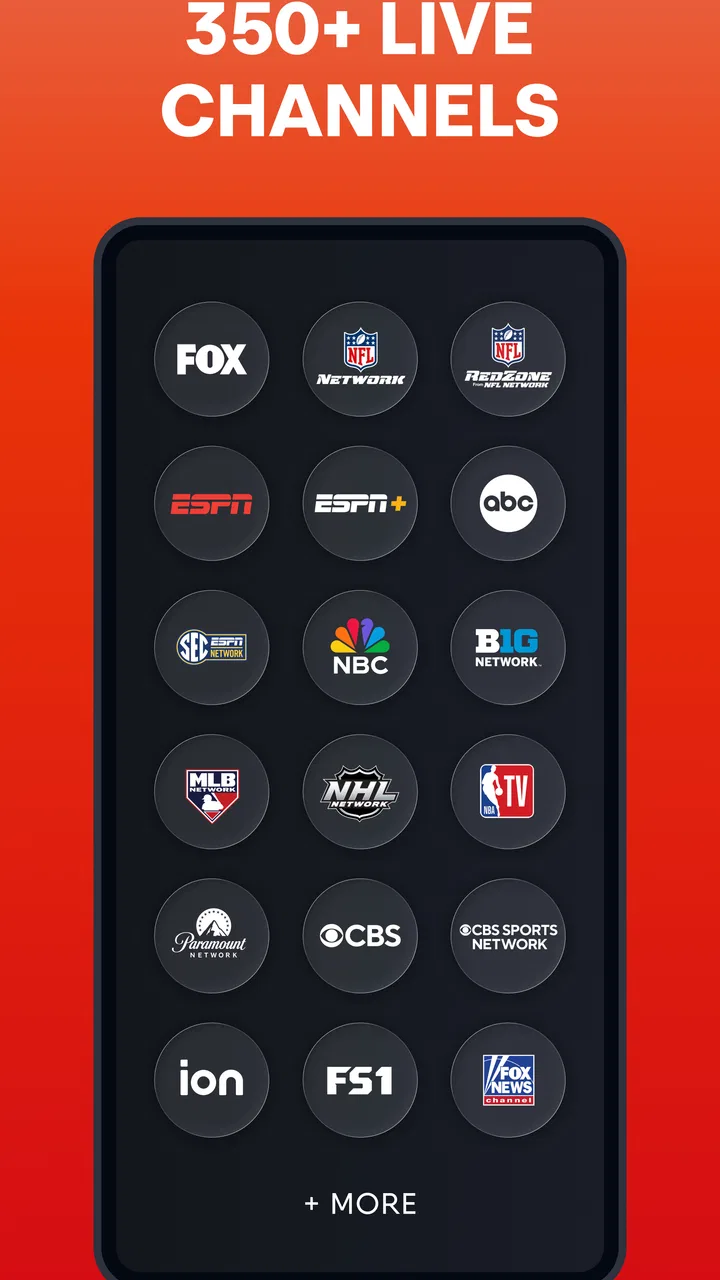
Fubo offers a wide range of channels, including popular networks like ESPN, NBC, Fox, and more. It also features specialized sports channels such as NFL Network, NBA TV, and beIN Sports. The channel lineup may vary based on your subscription plan, so it's advisable to check their website for the most current offerings.
02Does Fubo offer a free trial period?
Yes, Fubo typically offers a free trial period for new users. This allows you to explore the app's features, channel selection, and overall streaming quality without any financial commitment. The duration of the trial may vary, so it's recommended to visit their website for the latest information on trial offers.
03Can I watch Fubo on multiple devices simultaneously?
Fubo allows users to stream on multiple devices at the same time, depending on the subscription plan you choose. Their standard plan usually supports streaming on two devices, while higher-tier plans may allow for more simultaneous streams. Be sure to review the details of each plan to suit your household's needs.
04Is Fubo compatible with my device?
Fubo is compatible with a wide range of devices, including smartphones, tablets, smart TVs, and streaming devices like Roku and Apple TV. It supports both iOS and Android platforms, ensuring broad accessibility. Always check the app store on your device for compatibility details and the latest app version.
05What sports events can I watch on Fubo?
Fubo specializes in sports content, offering live coverage of major events across various leagues, including NFL, NBA, MLB, NHL, and international soccer leagues. It also covers college sports and niche events. The availability of specific games and events can vary, so it's best to consult their schedule for upcoming broadcasts.
Pros
- Wide selection of sports channels.
- User-friendly interface design.
- Streaming available in HD quality.
- Option to record live TV shows.
- Multiple screen streaming supported.
Cons
- Subscription cost is relatively high.
- Limited availability outside the U.S.
- Occasional buffering issues.
- Some popular channels missing.
- Requires stable internet connection.

Fubo: Watch Live TV & Sports
Gallery